
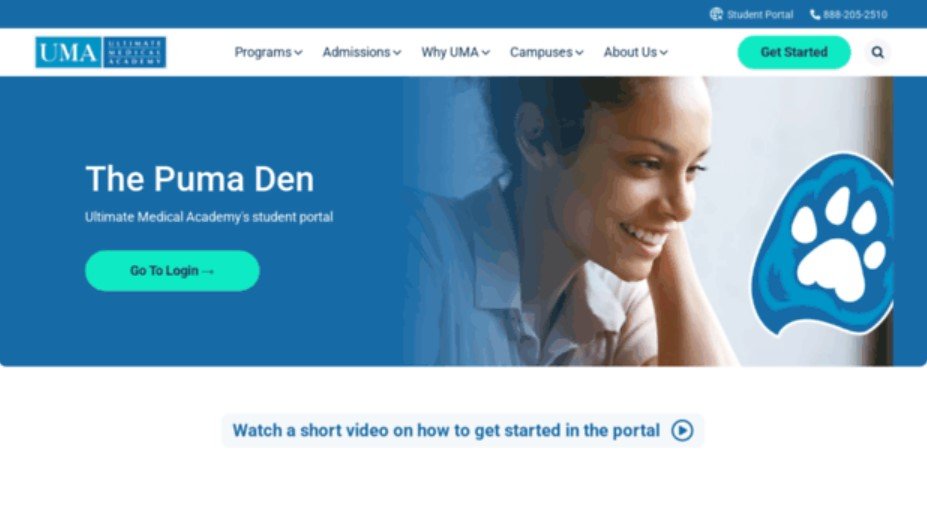
Students often search for how to access uma puma den when they need a simple way to reach their Ultimate Medical Academy student account. Puma Den is the student portal used by UMA students to access school-related tools, updates, documents, and online learning resources.
The login process is usually simple, but it can feel confusing if you are a new student or if you are unsure which page is the correct one. This guide explains what Puma Den is, how students can access it, what to do when login problems happen, and how to use the portal safely.
What Is UMA Puma Den?
UMA Puma Den is the student portal for Ultimate Medical Academy. It works as a central online space where students can manage important academic tasks. Instead of visiting several different places for class updates, documents, or support information, students can begin from Puma Den and move to the tools they need.
For online students, this portal is especially important because many daily school activities happen through digital access. Students may use it to reach their online courseroom, check school updates, view documents, manage academic information, and find support resources. In simple words, Puma Den helps students stay connected with their UMA account and coursework.
How to Access UMA Puma Den Step by Step
To access UMA Puma Den, students should start from the official Ultimate Medical Academy website. The safest option is to visit the official Puma Den login page and choose the login option provided there. This helps avoid fake or unrelated pages that may appear in search results.
Here is a simple login process:
- Open your browser on your phone, laptop, or desktop.
- Visit the official UMA Puma Den login page.
- Click the login button or link shown on the page.
- Enter your UMA username and password.
- Follow any on-screen instructions to reach your student portal.
Students can use the official UMA Puma Den login page as the safest starting point when they need to access the portal. It is better to bookmark the page after opening it, so you do not need to search for it every time.
If you are a new student, check the email or instructions UMA sent during your enrollment process. Your login details or setup instructions may be included there. Do not guess your login details repeatedly, because too many failed attempts may create extra access issues.
What Can Students Do Inside Puma Den?
Puma Den is not just a basic login page. It gives students access to several important tools connected with their academic life at UMA. The exact options may depend on the student’s program, account status, and current class setup.
Students may use Puma Den for tasks such as checking coursework access, reviewing documents, viewing schedules, finding student support options, and managing school-related updates. It can also help students stay aware of deadlines, class expectations, and important information shared by UMA.
A student portal is most useful when you check it regularly. If you only log in when there is a problem, you may miss updates or important reminders. A good habit is to check Puma Den before starting coursework and again when you need to confirm documents, assignments, or support information.
For new students, Puma Den may also connect them with orientation or first-day tasks. Completing these steps early can make the first week smoother and help students understand where to find their classes and resources.
What to Do If You Cannot Log In
Login problems are common, especially for new students. The first thing to check is whether you are using the correct official page. Many students run into issues because they click old links, third-party pages, or search results that do not lead directly to the right UMA portal.
Next, check your username and password carefully. Make sure there are no typing mistakes, extra spaces, or wrong capital letters. If you copied your password from an email or document, paste it carefully and remove any extra blank space before or after it.
If you forgot your password, use the password recovery option shown on the UMA login or classroom page. Follow the instructions provided there instead of trying random passwords. If you still cannot access your account, contact UMA support through the official support numbers or help options listed by the school.
Students should also check basic technical issues. Try refreshing the page, clearing browser cache, using another browser, or switching from mobile data to Wi-Fi. Sometimes the issue is not the account itself but the browser, internet connection, or saved login session.
Tips for Using UMA Puma Den Safely
Because Puma Den is connected with student information, you should treat your login details carefully. Do not share your username or password with anyone. Even if someone says they are helping, it is safer to contact UMA directly through official support channels.
Always check the website address before entering your login details. The page should be connected with Ultimate Medical Academy or the official UMA learning system. If a page looks strange, asks for unnecessary personal details, or comes from an unknown website, do not enter your information there.
It is also smart to log out after using Puma Den on a shared computer. This matters if you are using a library computer, school computer, or someone else’s device. Staying logged in can allow another person to access your student information.
Keep your recovery email or phone number updated if UMA provides that option. This can make password recovery easier if you lose access later. A few small safety habits can prevent bigger login problems in the future.
Conclusion
Accessing UMA Puma Den is simple when you use the official UMA login page and enter the correct student credentials. The portal gives students a central place to reach coursework, documents, schedules, and support resources linked to their academic account.
If you are searching for how to access uma puma den, the key is to avoid random third-party pages and start with the official UMA website. Bookmark the correct login page, keep your username and password safe, and contact UMA support if you cannot sign in after using the recovery steps.
FAQs
1. What is UMA Puma Den used for?
UMA Puma Den is used by Ultimate Medical Academy students to access student tools, online learning resources, documents, schedules, and support information.
2. How do I access UMA Puma Den?
You can access it by visiting the official UMA Puma Den login page, clicking the login option, and entering your UMA username and password.
3. What should I do if I forgot my UMA password?
Use the “Forgot Password” option on the official UMA login or classroom page. Follow the recovery steps or contact UMA support if you still need help.
4. Is Puma Den only for current UMA students?
Puma Den is mainly designed for UMA students who need access to their academic portal, coursework, documents, and student resources.
